
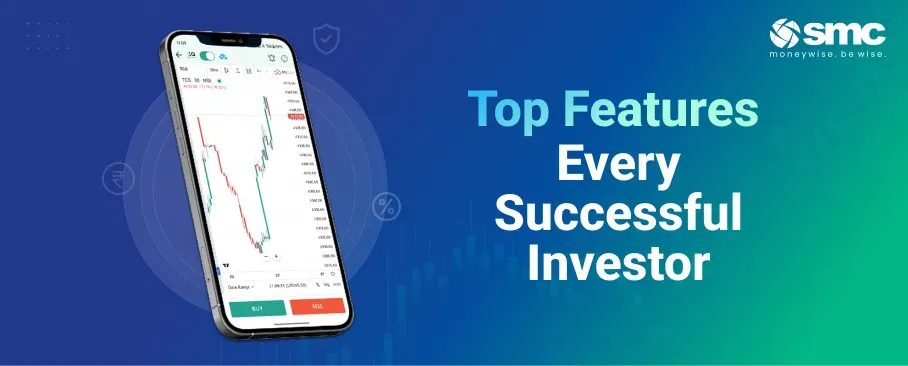


Your trading app is where you research, analyse, place orders, and track your portfolio, all in one place. So its speed, clarity, and reliability directly shape the quality of your decisions and your returns. A small delay in prices or one confusing extra step can cost you at exactly the wrong moment.
In this blog, we'll explore the features that separate a good trading app from an average one, so you know what to look for before you choose.
Why Choosing the Right Trading App Matters
The role of technology in modern investing
Trading apps have grown into full platforms that bring charting, analytics, news, portfolio tracking, and risk controls into a single screen. The quality of that app now directly affects how accurately you execute trades and how confident you feel doing so.
How app features affect your trading
For an intraday trader, a moment of lag or one extra tap can be the difference between a fill at your price and one several ticks away. For a long-term investor, features like SIP automation, portfolio analytics, and tax reports take much of the routine work out of managing holdings.
The risks of a poorly designed app
Slow data feeds, confusing order screens, and crashes during busy sessions create real risks. A misplaced order, a missed exit during an outage, or a surprise charge from hidden fees can eat into returns faster than a bad stock pick.
User Interface and Ease of Use
A clear layout and easy navigation
A well-designed app puts the things you use most, such as your watchlist, positions, order book, and portfolio summary, within a tap or two of the home screen. Cluttered dashboards and buried menus slow you down, especially when the market is moving fast.
Customisation helps too. If you track equities, F&O, commodities, or mutual funds, you need flexible watchlists, editable columns such as price, change, and volume, and layouts that stay put between sessions.
Fast, safe order placement
Placing an order should be quick and less likely to cause mistakes. Fewer steps, pre-filled fields such as the last traded price, and clear visibility into margin and estimated charges all reduce friction while keeping you in control. The best apps also let you trade directly from a chart, watchlist, or portfolio screen, so you act right where the decision is made.
Order Types and Execution Features
A capable app should, at a minimum, support market orders, limit orders, stop-loss orders (SL and SL-M), cover orders, bracket orders, and after-market orders. If you trade options, the ability to place multi-leg orders from a single screen is a big advantage.
Just as important is what happens after you place an order. Real-time confirmations showing the fill price, time, and quantity let you track slippage, and seeing the exact exchange fill against your order price matters most for intraday and high-frequency trading.
Market Data and Real-Time Information
Live price feeds
Accurate, low-lag price feeds are non-negotiable. Even small delays can affect your entry and exit prices, especially in intraday trading where spreads are tight.
Depth of market (Level 2 data)
Seeing the order book across several price levels helps you gauge liquidity, buying and selling pressure, and the likelihood that your order will fill before you place it.
News and corporate updates
Built-in news feeds, corporate actions such as dividends, splits, bonuses, and rights issues, and result announcements on the stock page mean you do not have to switch between apps. Alerts for price moves and breaking news keep your decisions timely.
Data accuracy and refresh speed
Accuracy and refresh speed matter most on volatile days. An app that lags at market open or during major events leaves you with blind spots, while a strong one stays near real-time even under heavy load.
Charting and Analysis Tools
Good charting should include multiple timeframes, from 1-minute to monthly; a full set of indicators, such as moving averages, RSI, MACD, and Bollinger Bands; and drawing tools like trendlines and Fibonacci retracements.
Being able to overlay indicators, compare stocks, and save chart templates speeds up your analysis. Price alerts that fire when a condition is met, such as RSI crossing a level or price touching support, bridge the gap between analysis and action, so you do not have to watch the screen all day.
Portfolio Tracking and Reporting
Real-time portfolio value
A good tracker shows your live market value, day change, total profit and loss (both booked and unbooked), and XIRR across all holdings. Segment-wise breakdowns for equity, F&O, mutual funds, and commodities, along with an allocation chart, give you a quick read on your diversification.
Profit and loss analytics
Beyond current holdings, your app should show historical profit and loss by trade, by stock, and by time period. Analytics such as win rate, average holding period, and sector-wise returns help you spot patterns in your own trading.
Contract notes, reports, and tax statements
Downloadable contract notes, capital gains reports with short- and long-term classification, and dividend summaries make tax filing far easier. The option to export to PDF, Excel, or CSV is essential if you use external tax software or work with a chartered accountant.
Risk Management and Control Features
Protecting your positions
Built-in stop-loss and trailing stop orders are basic but essential risk tools. The app should let you set them while placing an order and change them afterwards. Alerts for price moves, profit-and-loss levels, and margin usage help you avoid reacting on impulse. Volatility alerts, such as when a stock shows unusual price or volume activity or comes under exchange surveillance, let you adjust position size and stops in advance.
Margin visibility and exposure control
A clear, live view of margin used, margin available, and exposure across segments keeps you from over-leveraging. Alerts as usage nears critical levels give you time to add funds or trim positions before a forced square-off.
Security and Compliance Standards
Security is a basic requirement, not a bonus feature. Every reputable trading app should offer:
- Two-factor authentication (app-based codes are safer than SMS)
- End-to-end encryption for all data between the app and its servers
- Biometric login through fingerprint or face recognition for quick, secure access
- Session timeout and device management to cut off access from a lost device
- SEBI registration and compliance with the Cybersecurity and Cyber Resilience Framework (CSCRF), which is mandatory for all SEBI-regulated entities
The safety of your funds also depends on the broker following SEBI's rules on protecting client money and keeping client assets separate from its own.
Costs, Charges, and Transparency
Clear brokerage and fees
You should see the fees before you place an order, not discover them afterwards. A good app displays the estimated brokerage, STT, stamp duty, exchange charges, SEBI fees, and GST for each order before you confirm it.
Hidden charges and cost breakdowns
Common hidden costs include platform fees, data charges, annual maintenance, and API access fees. A transparent app displays all applicable fees on the confirmation screen and publishes a rate card so you can match every charge to your ledger.
Customer Support and Platform Reliability
Support channels that are actually available
Multiple support options, such as in-app chat, phone, email, and a ticket system, with clear response-time commitments, are essential. Support during market hours, not just office hours, is a practical must for active traders.
Stability during volatile sessions
Reliability in a volatile market is the single most important operational feature. An app that crashes or slows at market open, during a budget announcement, or in a sharp fall lets you down exactly when you need it most. Published uptime numbers and service commitments are a good sign of a mature platform.
Handling downtime well
When outages do happen, responsible platforms communicate proactively through push notifications and status pages, give an estimated resolution time, and have a clear policy on how orders are handled during downtime.
Value-Added Features for Long-Term Investors
- SIP and portfolio planning: Automated SIPs for mutual funds and stocks, goal-based calculators, and allocation suggestions help you build disciplined portfolios without constant effort.
- Research and insights: Curated research, such as fundamental reports, sector analysis, and earnings previews inside the app, saves time, though quality matters more than quantity here.
- Learning and skill-building: In-app content on market basics, order types, and risk management, along with tutorials and paper trading, helps you learn without risking real money.
Conclusion
A great trading app does far more than place orders. It helps you analyse the market, manage risk, track your portfolio, and execute quickly and accurately. Fast execution, reliable live data, strong charts, clear costs, and solid security are the features that make a real difference over time. Weigh these against your own trading style before you commit to a platform.
Get access to a smarter trading experience with SMC Global Securities.

 1800 11 0909
 smc.care@smctradeonline.com